In today’s connected world, a Perfect Tablet is more than just a device—it’s a companion for both productivity and entertainment. Whether you’re drafting business presentations, streaming movies, gaming, or sketching designs, the right tablet can transform your digital lifestyle. But with endless models on the market, finding the Perfect Tablet that balances work and play can feel overwhelming. This guide simplifies the process, helping you make a confident and informed choice.
Identify Your Needs First
The journey to choosing the Perfect Tablet begins by defining your purpose. Are you a professional who needs seamless multitasking, or a gamer looking for immersive graphics?
- Work-first users: Prioritize processing power, RAM, multitasking capabilities, and compatibility with productivity apps like Microsoft Office, Google Workspace, or Adobe Creative Cloud.
- Entertainment seekers: Focus on display resolution, audio performance, battery life, and support for gaming or streaming platforms.
See also iPhone 15 Pro vs Samsung Galaxy S25: Which One Wins in 2025?
When you’re clear about your usage, you’ll instantly narrow your choices, making it easier to spot the Perfect Tablet for your lifestyle.
Choose the Right Operating System
Tablets are powered by three main operating systems:
- iOS (Apple iPad) – Known for smooth performance, an intuitive interface, and a robust app ecosystem tailored to productivity and creativity. Ideal for professionals and creators.
- Android Tablets – Highly customizable with a wide range of price points and hardware options. Great for users who enjoy flexibility.
- Windows Tablets – Best for professionals who want a portable device that runs full desktop applications. Perfect for users who need laptop-level functionality in tablet form.
Your familiarity with the system—and the apps you rely on—will strongly influence which OS feels like the Perfect Tablet for you.
Size and Portability: Striking the Balance
Size is another major factor:
- Small tablets (7–9 inches): Lightweight, ultra-portable, great for reading, travel, and casual browsing.
- Mid-sized tablets (10–11 inches): Balance between portability and usability—excellent for both work and play.
- Large tablets (12+ inches): Best for multitasking, split-screen productivity, creative tasks, and immersive entertainment.
If mobility is your top priority, compact options may be ideal. But if you want a workstation replacement, larger tablets offer that “desktop on-the-go” experience.
Performance and Battery Life: The Core of Reliability
A tablet’s heart lies in its processor, RAM, and battery. A Perfect Tablet should deliver:
- Smooth performance – Multi-core processors and at least 6–8GB RAM ensure fast app switching and smooth gaming.
- Long battery life – Aim for 10+ hours to handle a full workday or extended streaming without constant recharging.
Don’t overlook fast-charging features—handy for travelers and professionals on the move.
Display Quality and Audio: For Work and Fun
When evaluating tablets, display and sound quality often define the overall experience.
- Display: Look for at least Full HD (1920×1080) resolution. For professionals and creators, 2K or 4K displays with vibrant colors and strong brightness levels are ideal.
- Audio: Front-facing speakers or Dolby Atmos support enhance immersion for music, video calls, and movies.
If you spend hours working on presentations or binge-watching shows, these two features can make or break your choice of the Perfect Tablet.
Accessories that Boost Productivity
Modern tablets can easily transform into workstations with the right accessories:
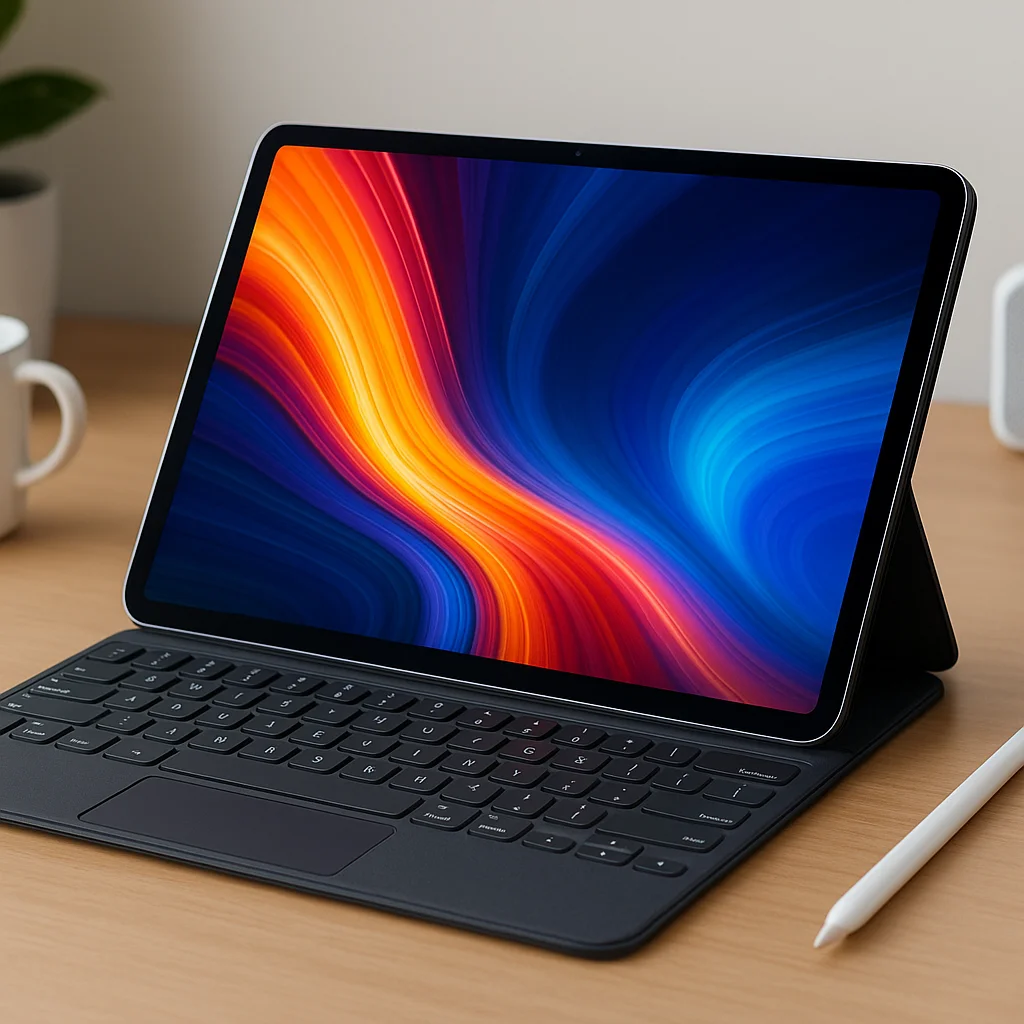
- Keyboards: Ideal for writers, professionals, and students who type often.
- Stylus pens: Perfect for designers, note-takers, and anyone who values precision input.
- Docking stations: Expand tablet functionality with external monitors, USB devices, or Ethernet connections.
Choosing a device compatible with these accessories ensures your Perfect Tablet adapts to every situation.
Storage Capacity and Connectivity
From documents to games, storage matters. A Perfect Tablet should offer:
- Base storage: 64GB is fine for light users, but 128GB+ is better for professionals and gamers.
- Expandable storage: Many Android tablets allow microSD cards.
- Cloud integration: iCloud, Google Drive, or OneDrive can supplement onboard storage.
Connectivity also plays a role—ensure your device supports fast Wi-Fi, Bluetooth, and possibly 5G if you want internet anywhere.
Security and Privacy
A Perfect Tablet must safeguard your work and personal data. Prioritize:
See also Best Budget Smartphones Under $500 (2025 Edition)
- Biometric security: Fingerprint or facial recognition for convenience.
- Encryption and secure OS updates: Especially vital for professionals handling sensitive files.
- Parental controls: Useful for families sharing a device.
Investing in a secure tablet ensures peace of mind while balancing both work and play.
Frequently Asked Questions (FAQs)
Can a tablet fully replace a laptop for work?
Yes, depending on your needs. With a keyboard, stylus, and strong performance, many tablets can handle professional tasks. However, laptops still excel in heavy-duty workloads like video editing or coding.
Is storage or cloud integration better for a tablet?
A mix of both is ideal. Choose a Perfect Tablet with sufficient internal storage, but also leverage cloud services for backups and large files.
Do I need a stylus for productivity?
Not everyone needs one, but styluses are invaluable for note-taking, design, and creative work. If your workflow involves visuals or annotations, a stylus-ready tablet is a smart investment.
How do I ensure long battery life in a tablet?
Opt for efficient processors, OLED displays, and power management settings. Regularly update software and avoid excessive background apps.
Which tablet is best for gaming and media?
The Perfect Tablet for entertainment should have a high-resolution display, strong GPU, immersive speakers, and a battery that supports long gaming sessions.
Conclusion
The Perfect Tablet isn’t a one-size-fits-all purchase—it’s about aligning features with your lifestyle. By clarifying your needs, choosing the right operating system, balancing size with portability, evaluating performance, and considering accessories, you can make a confident choice. Whether for business presentations, immersive games, or Netflix marathons, the Perfect Tablet will empower both your productivity and your downtime.
Take time to test devices, read trusted reviews, and explore all your options. The tablet you choose today can shape how efficiently—and enjoyably—you work and play tomorrow.